
Note: It is recommended that you first create and sign in to your personal software account and then bind the license key to your account to activate the software on your device, so that you can reset and reactivate it directly from your software account when you change to a new device in the future.
Your data. Your backups. Your Security.
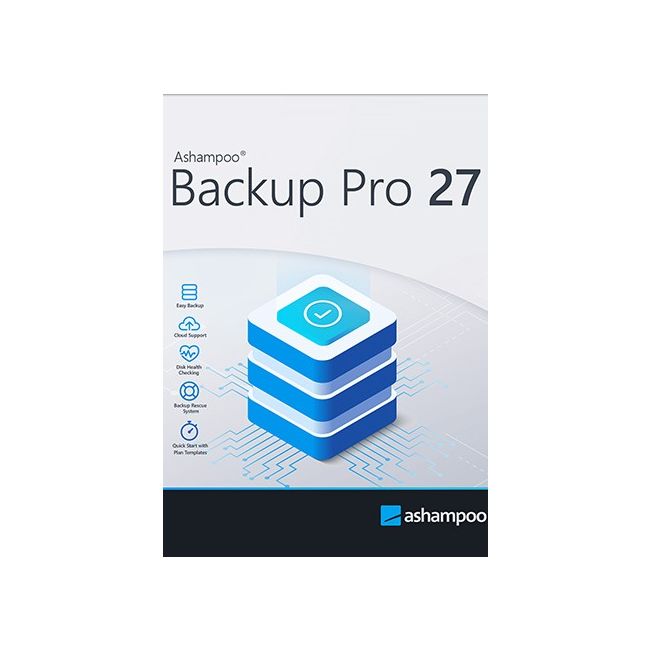
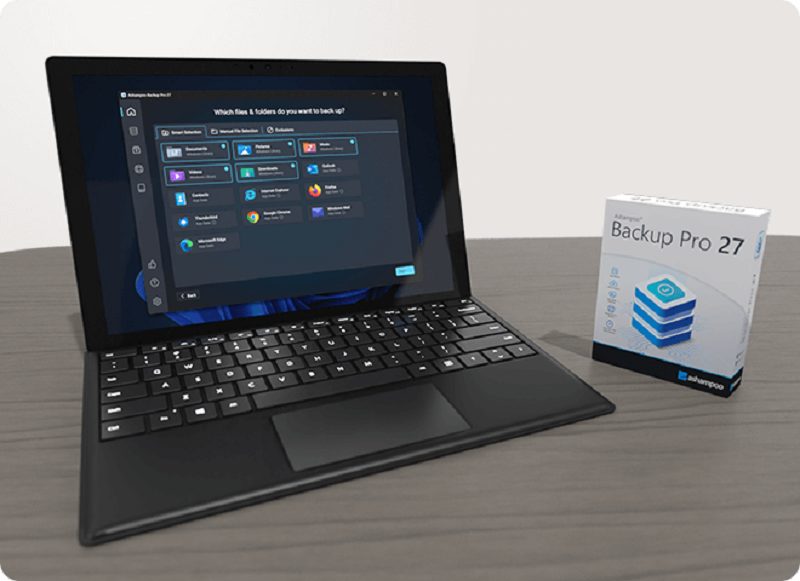
Ashampoo Backup Pro 27 protects you from viruses, ransomware, and hardware failures with an easy-to-use yet powerful backup solution. Back up files or entire partitions to local drives or cloud storage effortlessly—just plug in a device and start. It runs quietly in the background, uses minimal resources, and includes a bootable rescue system for quick recovery after major system failures.
Helps with:
- Malware infections
- Hard disk failure
- Accidentally deleted files
- Operating system issues
- Troublesome updates
- Device theft
Features:
Faster backups–local or cloud
Improved performance no matter the storage location
Ashampoo Backup Pro delivers top-level security — now with enhanced speed. Cloud backups are up to 30% faster than before, and file-based backups also experience significantly improved performance.
Instant access to all popular providers and storage methods
As cloud providers continue to evolve their services and storage technologies, we’ve kept pace: Ashampoo Backup Pro has been completely updated to support the newest and most secure methods of online data transfer. You can back up your data to Dropbox, OneDrive, Google Drive, OneDrive Business / Office 365, OwnCloud, Telekom MagentaCLOUD, Strato, 1&1, and many more.
Real-time check & repair
Scan and unlock multiple drives effortlessly
The new repair tool lets you run one-click live drive checks without a wizard, logging and instantly fixing any errors. It automatically scans multiple drives and now offers full BitLocker support, including all unlock methods like Smartcard and TPM, directly within the drive check.
Plug & Play backups
Hook it up and you're good to go!
With plug & play, Ashampoo Backup Pro automatically runs your backup plans whenever external drives are connected. Just plug in your flash drive, and backups start instantly—no need to open the program or click anything. Backing up your files has never been easier or more seamless!
Robust and reliable when you need it most
A completely new rescue system for emergencies
When disaster strikes, Ashampoo Backup Pro is ready. The new rescue interface guides you through recovery, whether restoring files, partitions, or your entire system. With enhanced driver management, recoveries are now smoother and more reliable than ever.
Bitlocker support
Unlock and use BitLocker-encrypted drives
Windows encrypts drives via BitLocker to protect them against unauthorized access. This makes it harder, sometimes even impossible, for backup software to access your files. Ashampoo Backup Pro not only sees your BitLocker-encrypted drives but can also access them to store your file archives. Naturally, the drives are not only accessible during normal operation but also through the rescue system!
Off to a great start with Ashampoo Backup Pro
1-Click access to all vital sections!
Our backup solution works for everyone, from beginner to data security specialist. That's why we've made our backup plans as flexible and versatile as possible! The new presets save your data in just a few clicks. Even highly sophisticated backup plans only take a few clicks. Simple or sophisticated, creating backup plans is a breeze with the new Ashampoo Backup Pro!
Your lifesaver when all else fails
Rescue system to recover corrupted operating systems
Ashampoo Backup Pro will save hours of time and effort. The built-in rescue system will boot your PC either from DVD or flash drive and help you restore your system so that your PC works normally again. It's the end of data loss!
Superior malware protection
No chance for ransomware, viruses, and worms
Do you really want to negotiate with online criminals? Backups are the only solution that offers 100% security. Once your system becomes infected, simply restore your backup, and you're in the clear again!
Professional technology for everyone
Use the techniques of professional system administrators
The security strategies incorporated into this backup solution was designed with business use in mind and comply with the strict standards required in professional environments. Because only the highest standards are good enough to protect your files! Professional administrators appreciate the solid backup engine, constant file verification, and strong encryption, which is why Ashampoo Backup Pro is also used by major companies. Get industry-grade file protection for your PC!
Simply restore your system to its prior state when it was working fine!
Ashampoo Backup Pro takes your system back to that moment when everything was working perfectly! Face future Windows or security software updates calmly in the knowledge that nothing can harm your PC anymore!
Space-efficient file storage where and how you want it
External hard drive, USB stick, NAS, or cloud: Ashampoo Backup offers flexible storage options!
Ashampoo Backup Pro saves your backups to any hard disk, USB stick, network drive or cloud service. The advanced disk image feature uses powerful "infinite reverse incremental" technology that takes up little space but offers maximum security. The program supports four different compression methods. And best of all: Backups created with Ashampoo Backup Pro require up to 50% less space than other backup solutions!
All-round protection with hard disk checkups
The backup solution that even checks output locations
Ashampoo Backup Pro monitors your hard disk's SMART parameters during backups to detect future issues before they happen! This allows you time to react and avoid data loss. The program also features an additional drive / partition check that analyzes and repairs individual sectors. Whether internal or external, Ashampoo Backup Pro takes extra good care of your hard disks!
No strain on your system
Ashampoo Backup Pro strategic benefits
Backup Pro does all the heavy lifting in the background and analyzes your system load, only becoming active when enough resources are available without getting in your way. So you can continue to work while Backup Pro works its magic.
Full clarity with Backup Viewer
View archive contents without opening them
While backups are primarily meant for storing and restoring data, sometimes you just want to peek into them. Ashampoo Backup Pro's Backup Viewer let's you do just that. Access archived files directly without restoring them first. The files are opened in a secure space to avoid modifying or damaging the original archives!